Project management doesn’t have to be complicated. Whether you’re organizing a personal to-do list, managing client work, or coordinating a team across different time zones, the right software can make a significant difference.
Among the many project management tools available today, Trello remains one of the most recognizable names. Since its launch in 2011, Trello has gained millions of users thanks to its simple Kanban-style boards that make organizing work both visual and intuitive.
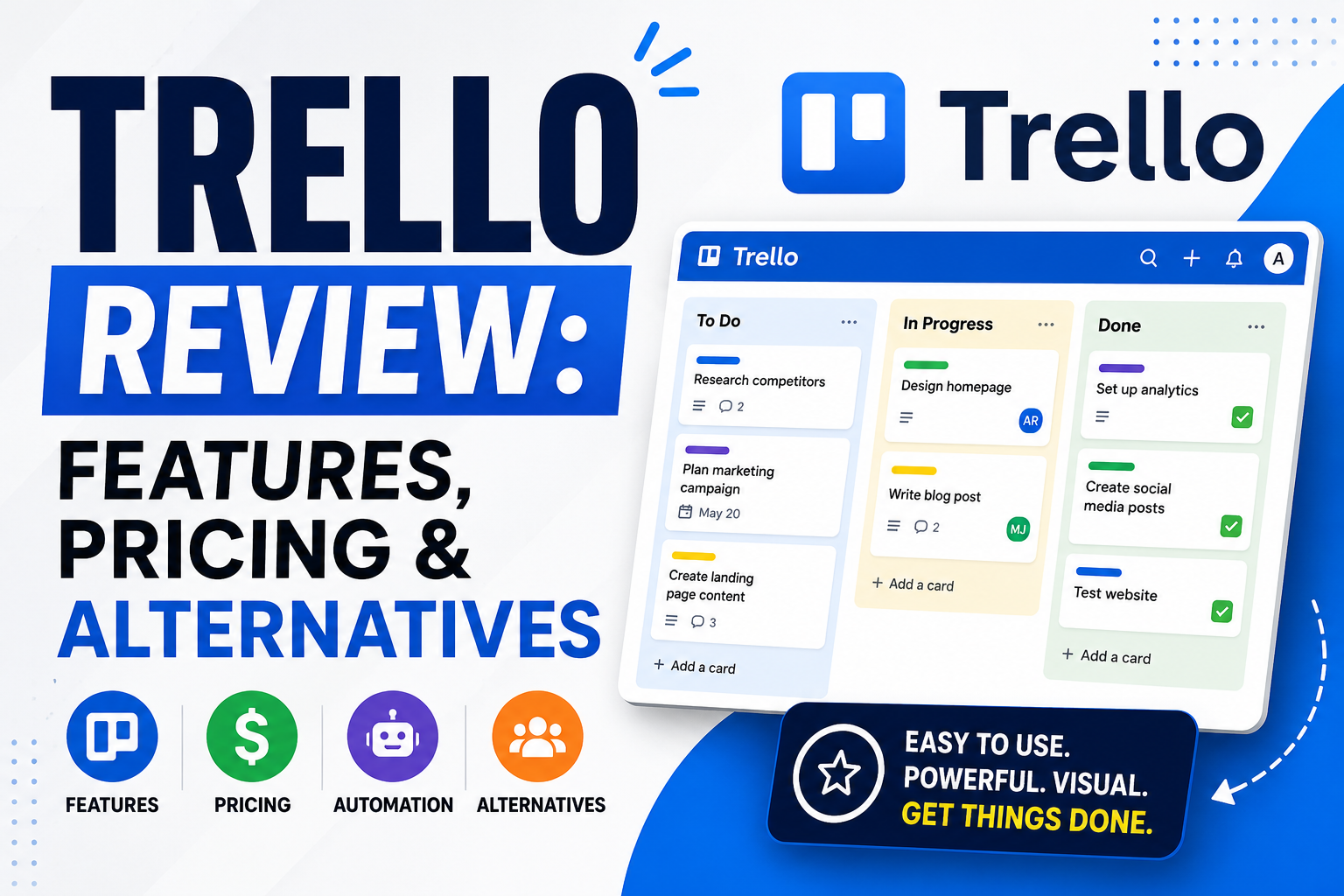
I first used Trello while collaborating on a university software project. Instead of juggling spreadsheets and lengthy email threads, our team created a Trello board with lists for “To Do,” “In Progress,” and “Completed.” Within a few days, everyone knew exactly what they were working on, deadlines became clearer, and communication improved dramatically. That experience showed me why Trello has remained popular for over a decade.
But is Trello still one of the best project management tools in 2026? Or have competitors like ClickUp, Asana, and Monday.com overtaken it?
In this review, we’ll explore Trello’s features, pricing, ease of use, automation, integrations, pros and cons, and the best alternatives to help you determine whether it’s the right solution for your team.
Trello Review: Quick Verdict
| Category | Rating |
|---|---|
| Ease of Use |  |
| Features | ☆ |
| Collaboration | |
| Automation | ☆ |
| Integrations | |
| Pricing | |
| Customer Support | ☆ |
| Overall Rating | 4.8/5 |
Best For
- Small businesses
- Startups
- Marketing teams
- Freelancers
- Remote teams
- Students
- Agencies managing simple workflows
Not Ideal For
- Large enterprises with highly complex workflows
- Teams needing advanced reporting
- Organizations requiring built-in time tracking
- Businesses managing sophisticated resource planning
Our Verdict
Trello excels at simplicity. It offers one of the easiest learning curves among project management tools, making it ideal for teams that value visual organization over feature-heavy complexity.
Trello at a Glance
| Feature | Details |
|---|---|
| Free Plan |  Yes Yes |
| Mobile Apps | iOS & Android |
| Automation | Butler |
| AI Features | Available on selected plans |
| Project Views | Board, Calendar, Timeline, Table, Dashboard |
| Integrations | 200+ |
| Best For | Small to medium-sized teams |
What is Trello?
Trello is a cloud-based project management platform built around the Kanban methodology. Instead of overwhelming users with complex dashboards, Trello organizes work into Boards, Lists, and Cards.
Imagine planning a product launch.
Your board might contain:
- Ideas
- Planning
- In Progress
- Under Review
- Completed
Each task becomes a card that can include descriptions, due dates, attachments, comments, labels, and checklists. Team members simply drag cards from one stage to another as work progresses.
This visual workflow is one of Trello’s greatest strengths. It requires little training, making it accessible to users of all technical backgrounds.
Trello Features
Kanban Boards
Kanban boards are Trello’s signature feature. They provide a clear visual representation of project progress, making it easy to identify bottlenecks and prioritize work.
Rating:
Cards and Lists
Every task lives inside a card.
Cards support:
- Descriptions
- Due dates
- Checklists
- Attachments
- Comments
- Labels
- Team assignments
This flexibility allows users to track everything from simple to-do lists to client projects.
Multiple Project Views
Beyond Kanban boards, Trello now offers:
- Calendar View
- Timeline View
- Table View
- Dashboard View
- Map View (depending on plan)
These additional views make Trello much more versatile than it once was.
Butler Automation
One of Trello’s standout features is Butler, a no-code automation tool.
You can automate repetitive tasks such as:
- Moving completed cards
- Assigning team members
- Creating recurring tasks
- Sending reminders
- Updating due dates
For example, when a card is moved into the “Completed” list, Butler can automatically archive it or notify the project manager.
Collaboration Tools
Trello encourages team collaboration through:
- Comments
- Mentions (@username)
- File attachments
- Activity logs
- Notifications
- Shared workspaces
Although it doesn’t replace communication platforms like Slack, it keeps project discussions attached directly to tasks.
Templates
Trello offers hundreds of templates covering:
- Marketing campaigns
- Content calendars
- Product roadmaps
- CRM pipelines
- Event planning
- Software development
- HR onboarding
These templates help new users get started in minutes.
Ease of Use
One reason Trello has remained so popular is its simplicity.
Unlike feature-rich competitors that require onboarding sessions, Trello can often be understood within the first hour of use.
Creating a project typically involves:
- Creating a board
- Adding lists
- Creating cards
- Inviting team members
That’s it.
Navigation is clean, menus are uncluttered, and most actions rely on drag-and-drop functionality.
For beginners, this simplicity is a major advantage.
Winner:
Pricing
Trello offers several pricing tiers suitable for individuals and businesses.
| Plan | Best For |
|---|---|
| Free | Individuals & Small Teams |
| Standard | Growing Teams |
| Premium | Advanced Views & Admin Controls |
| Enterprise | Large Organizations |
What We Like
✔ Generous free plan
✔ Affordable upgrades
✔ Scales with business growth
Value for Money
Compared to many competitors, Trello offers excellent value, especially for users who primarily rely on Kanban workflows.
Integrations
No modern productivity tool exists in isolation, and Trello performs well in this area.
Popular integrations include:
- Slack
- Google Drive
- Dropbox
- Microsoft Teams
- Jira
- GitHub
- Outlook
- Zapier
- Google Calendar
- OneDrive
These integrations allow Trello to fit naturally into existing business workflows without forcing teams to abandon their favorite tools.
Security
Trello includes several security features designed to protect business data.
These include:
- SSL encryption
- Two-factor authentication
- User permissions
- Enterprise admin controls
- Single Sign-On (Enterprise)
- GDPR compliance
- SOC certifications
For most small and medium-sized businesses, Trello provides more than enough security.
Mobile Experience
The Trello mobile app is one of the better project management apps available.
Users can:
- Create tasks
- Move cards
- Upload files
- Receive notifications
- Comment on projects
Whether you’re traveling or working remotely, the mobile experience remains smooth and responsive.
Customer Support
Support options include:
- Knowledge Base
- Help Center
- Community Forum
- Email Support
- Enterprise Support
Although live support availability varies depending on your plan, Trello’s documentation is comprehensive and easy to follow.
Pros & Cons
| Pros | Cons |
|---|---|
| Extremely easy to use | Limited advanced reporting |
| Excellent free plan | Built-in time tracking is limited |
| Visual Kanban workflow | Can become cluttered on large projects |
| Strong automation | Fewer customization options than ClickUp |
| Great integrations | Advanced features require paid plans |
| Excellent mobile apps | Less suitable for complex enterprise workflows |
Trello Alternatives
Although Trello is an excellent solution, it isn’t the perfect fit for every business.
| Software | Best For |
|---|---|
| ClickUp | All-in-one productivity |
| Asana | Marketing & Operations Teams |
| Monday.com | Custom Workflows |
| Jira | Software Development |
| Notion | Documentation & Knowledge Management |
| Wrike | Enterprise Project Management |
If your projects involve complex reporting, resource planning, or detailed workflow customization, one of these alternatives may better suit your needs.
Who Should Use Trello?
Trello is an excellent choice for:
- Freelancers managing multiple clients
- Small businesses organizing daily operations
- Marketing teams planning campaigns
- Students tracking assignments
- Remote teams collaborating online
- Agencies managing client deliverables
However, organizations with complex project portfolios or advanced reporting needs may find more value in platforms like ClickUp or Monday.com.
Frequently Asked Questions
Is Trello free to use?
Yes. Trello offers a generous free plan that includes unlimited cards, up to 10 boards per workspace, and core project management features.
Is Trello good for project management?
Absolutely. Trello is one of the best project management tools for individuals and small to medium-sized teams that prefer a visual Kanban approach.
Is Trello better than Asana?
It depends on your needs. Trello is simpler and more visual, while Asana offers more structured project management features and advanced workflows.
Is Trello better than ClickUp?
ClickUp provides more built-in functionality, including docs, whiteboards, dashboards, and time tracking. Trello is easier to learn and better suited for straightforward project management.
Does Trello work offline?
The mobile app offers limited offline functionality, but an internet connection is generally recommended for the best experience.
Is Trello suitable for large businesses?
It can be, particularly with Enterprise plans. However, businesses managing highly complex workflows may benefit from more advanced platforms like ClickUp, Wrike, or Jira.
Final Verdict
Trello has earned its reputation as one of the most accessible and user-friendly project management platforms on the market. Its visual Kanban boards, intuitive interface, and generous free plan make it an excellent starting point for individuals, startups, and small businesses looking to organize their work more effectively.
While it may not offer the extensive customization or advanced reporting found in tools like ClickUp or Monday.com, Trello excels at what it was designed to do: making task management simple, collaborative, and visually engaging.
Choose Trello if:
- You want an easy-to-use project management tool.
- Your team prefers Kanban boards.
- You need a generous free plan.
- You value simplicity over complexity.
- You collaborate on straightforward projects.
Consider an Alternative if:
- You require advanced workflow automation.
- You need detailed reporting and analytics.
- You manage large enterprise projects.
- Built-in time tracking is essential.
- You want an all-in-one productivity platform.
Overall Rating: ☆ (4.8/5)
For most freelancers, startups, and growing teams, Trello remains a dependable and affordable project management solution that strikes an excellent balance between functionality and ease of use.